Setting Up Your Silent Disco
The set-up of your Silent Disco is super simple. If you are confident plugging headphones into your phone, you'll have no problem setting your Silent Disco up in minutes.
Setting up a simple Silent Disco
- Attach the Aerial to the rear of the Transmitter.
- Plug the Power Source into the rear of the Transmitter. Do not connect to the power supply yet.
- Plug the Splitter Cable into the front of the Transmitter. The White Jack plugs into a White Socket, The Red or Black Jack, plugs into the Red Socket.
- Plug the other end of the Splitter Cable into the Headphone Socket of your Phone, Tablet or Laptop. You may need to use a device specific connector.
- Connect the Microphone to the XLR Cable being careful to line up the pins in the Microphone.
- Plug the Jack on the Microphone Cable into the 'Mic Jack' on the front of the Transmitter.
- Plug the Transmitter into the Power Supply and turn the Power on at the Plug Socket.
- Set each of the transmitters do a different Channel. I.e. Channel 1, Channel 2, Channel 3.
- Slide the switch on the front of the Transmitter to the Middle position if your guests will be within a 300 metres range of the Transmitters, or to the Right position if your guests will be up to 500 metres away. Please note that walls and obstructions will reduce the range of the transmitted signal.
- Play the music on your device. Please note: You won't hear the music in the room, while the Transmitter is connected to the devices headphone socket.
- Turn on the Silent Disco headphones.
You should now have music playing through the headphones and the LEDs will be flashing to the beat of the music.
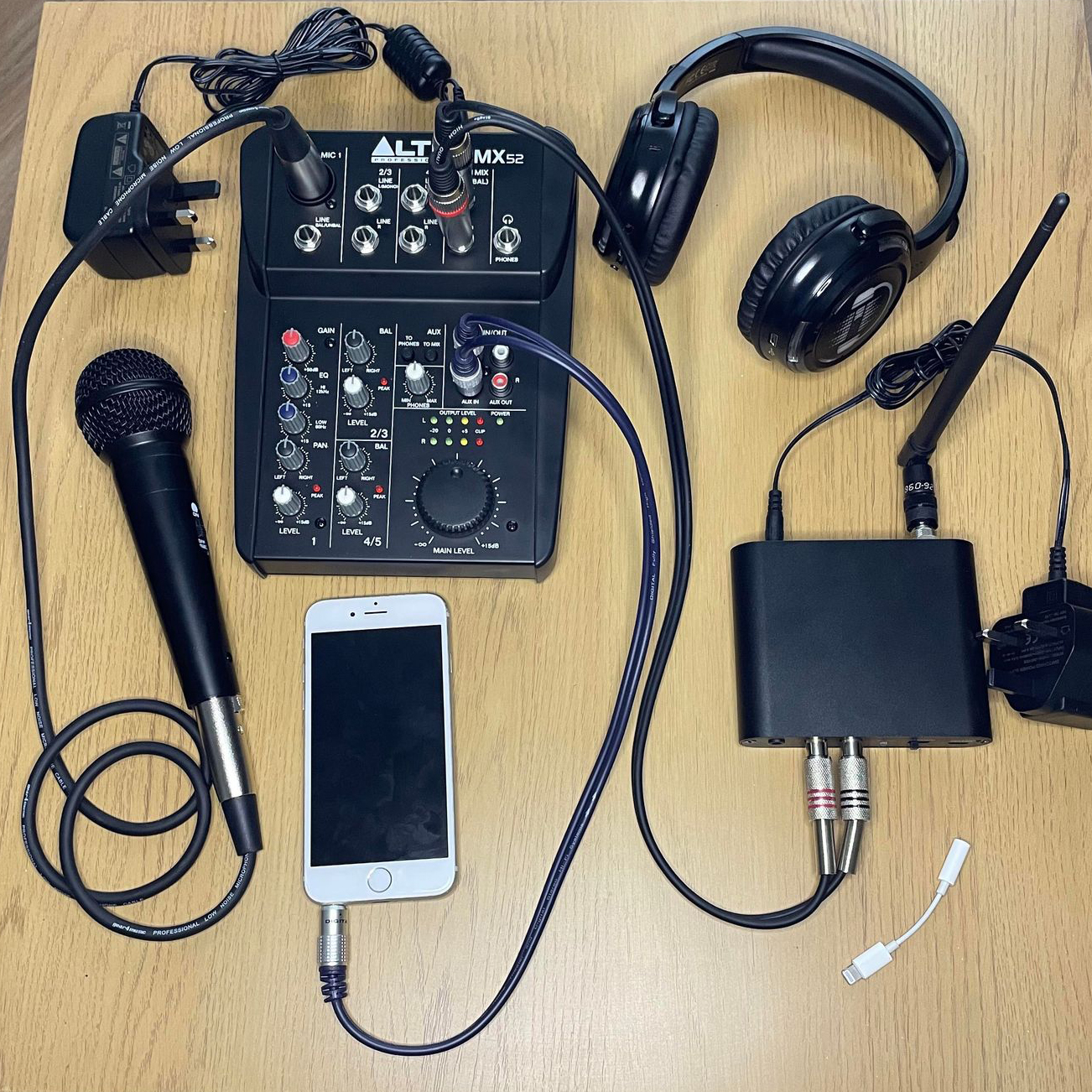
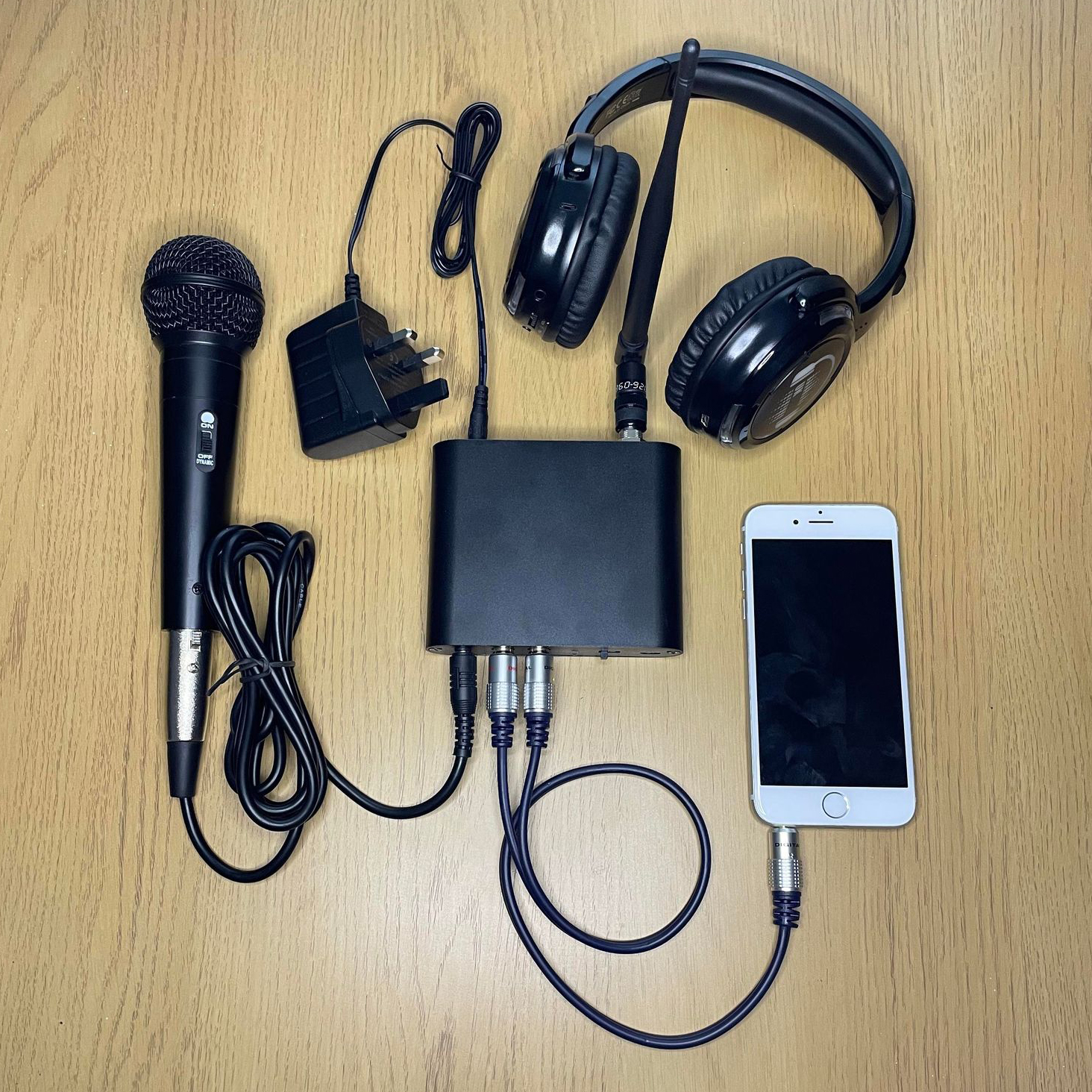
Below is an image showing how your Simple Silent Disco set-up should look once everything is plugged in.
Setting up a Silent Disco with a Mixing Desk
- Attach the Aerial to the rear of the Transmitter.
- Plug the Power Source into the rear of the Transmitter. Do not plug into the power supply yet.
- Plug the Splitter Cable into the Front of the Transmitter. The white jack plugs into the white socket, The Red or Black Jack, plugs into the Red Socket.
- Plug the other end of the Splitter Cable into the Headphone socket of your Phone, Tablet or Laptop. You may need to use a device specific connector.
- Connect the Microphone to the XLR cable being careful to line up the pins in the Microphone.
- Plug the Jack on the Microphone Cable into the Mic Jack on the front of the Transmitter.
- Plug the Transmitter Plug into the Power Supply and turn the power on at the Plug Socket.
- Set each of the transmitters do a different Channel. I.e. Channel 1, Channel 2, Channel 3.
- Slide the switch on the front of the transmitter to the middle position if your guests will be within a 300 metres range of the transmitter, or to the right position if your guests will be up to 500 metres away. Please note that walls and obstructions will reduce the range of the transmitted signal.
- Play the music on your device. Please note: You won't hear the music in the room, while the Transmitter is connected to the devices headphone socket.
- Turn on the Silent Disco headphones.
You should now have music playing through the headphones and the LEDs will be flashing to the beat of the music.
- Below is an image showing how your Silent Disco with Mixing Desk set-up should look once everything is plugged in.